Identify · Attributes · Ticket sidebar
Know who you are talking to before you reply.
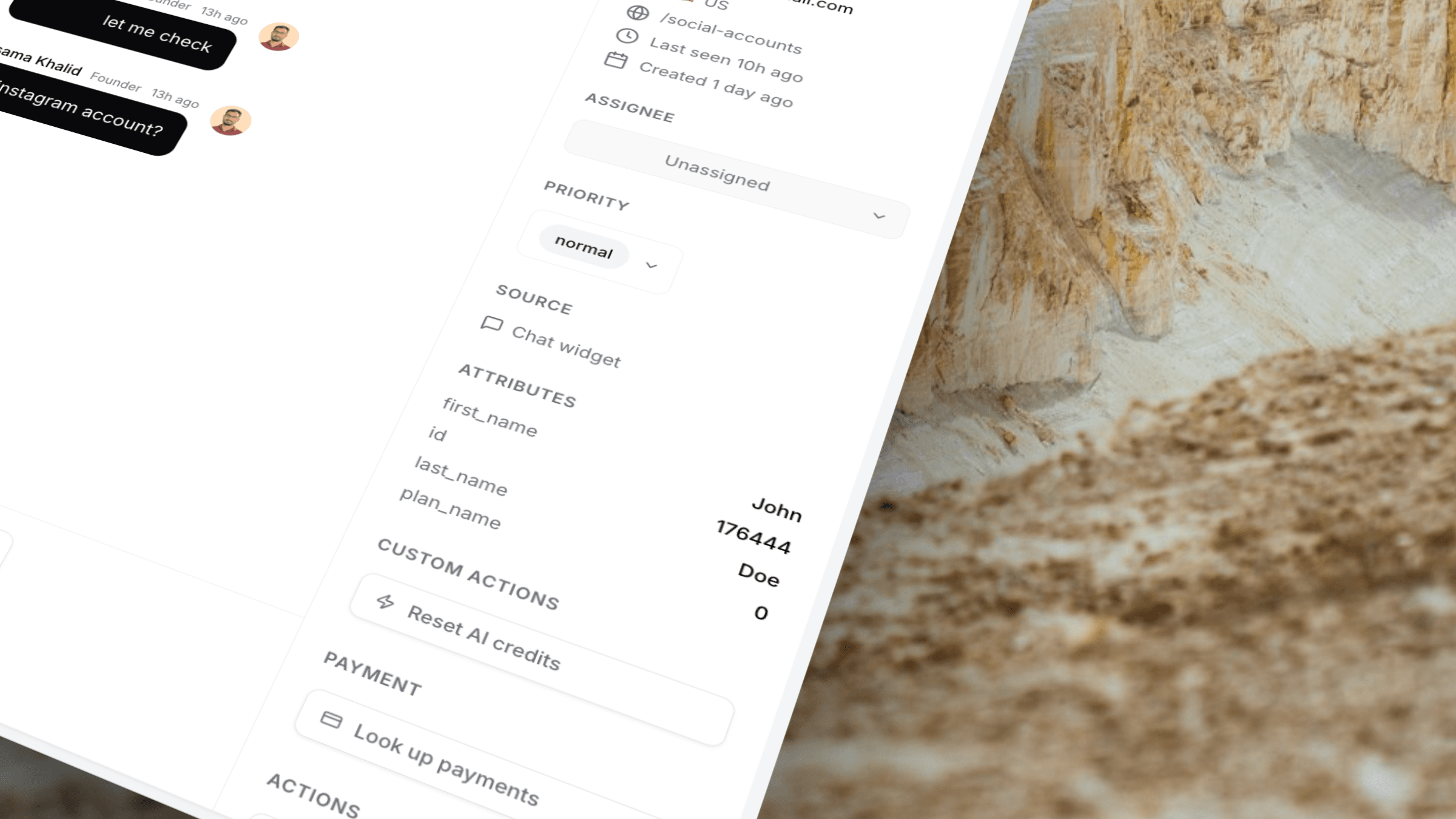
Pass name, email, plan, company, or any custom field with one JavaScript Identify call. Attributes show beside every ticket — and power Custom Actions and smart tabs.
One JS call · Works with any framework
The workflow
From your app data to ticket context
Stop asking customers to re-explain their plan, account ID, or company name.
Call Identify in your app
When a user logs in, send their email and any traits you care about to Userscom.
They open a chat or ticket
The conversation links to that email. Traits attach automatically.
Agents see the sidebar
Plan, company, user_id, and custom fields appear next to the thread — ready for replies or Custom Actions.
Capabilities
Context that travels with the ticket.
Any custom attribute
Plan, MRR, company size, role, feature flags — if you can send a key/value, we can show it.
Always beside the thread
No extra CRM tab. Attributes live in the ticket sidebar where agents already work.
Power AI tabs
Route tickets with user-attribute rules — e.g. plan equals Pro → VIP tab.
Power Custom Actions
Map {{user_id}} from attributes into your platform API calls from the sidebar.
Find the right person
Traits make it obvious which account you are helping when emails are shared or unclear.
Framework agnostic
Works with React, Next.js, Vue, or plain JS — same Identify pattern.
Use cases
Fewer “which account?” messages.
Send attributes like
- plan / billing interval
- company name
- user_id or account_id
- signup date
- role (admin vs member)
- any product-specific trait
Agents can then
- Personalise replies without digging in admin
- Prioritise Pro customers visually
- Run Custom Actions with the right IDs
- Sort tickets with attribute-based tabs
- Avoid asking for information you already have
- Hand off tickets without losing context
Plus everything else
Attributes unlock the rest of the stack.
Frequently asked questions
Use the Identify JavaScript call from your app when a user is known — typically after login. Pass an email plus a traits object with any keys you want.
On the ticket sidebar under Attributes, next to visitor details. Agents see them while reading and replying.
Yes. User-attribute tabs can route tickets based on traits, and Custom Actions can prefill parameters like user_id from attributes.
No native mobile SDK is required for web. If your site runs JavaScript, Identify works the same way across frameworks.
The sidebar simply omits it. For Custom Actions, agents can fill missing required fields manually before running the action.
Give every ticket a face and a plan.
Install the widget, add Identify, and stop guessing who is on the other side.
One JS call · Visible on every ticket · Powers actions & tabs